
Summary: Adopt a reliable backup method: several copies, on different media, including one off-site, so you never lose your data.
Prerequisites
- A website or data to protect
Step-by-step procedure
- The 3-2-1 principle: keep at least 3 copies of your data, on 2 different types of media, with 1 copy off-site.
- Copy 1: your live website on the hosting.
- Copy 2: a regular backup downloaded from cPanel and stored on your computer.
- Copy 3: an off-site backup, for example on cloud storage or via a solution such as Acronis.
- Automate as much as possible (cron, backup tools) and test your restores regularly.
Visual guide
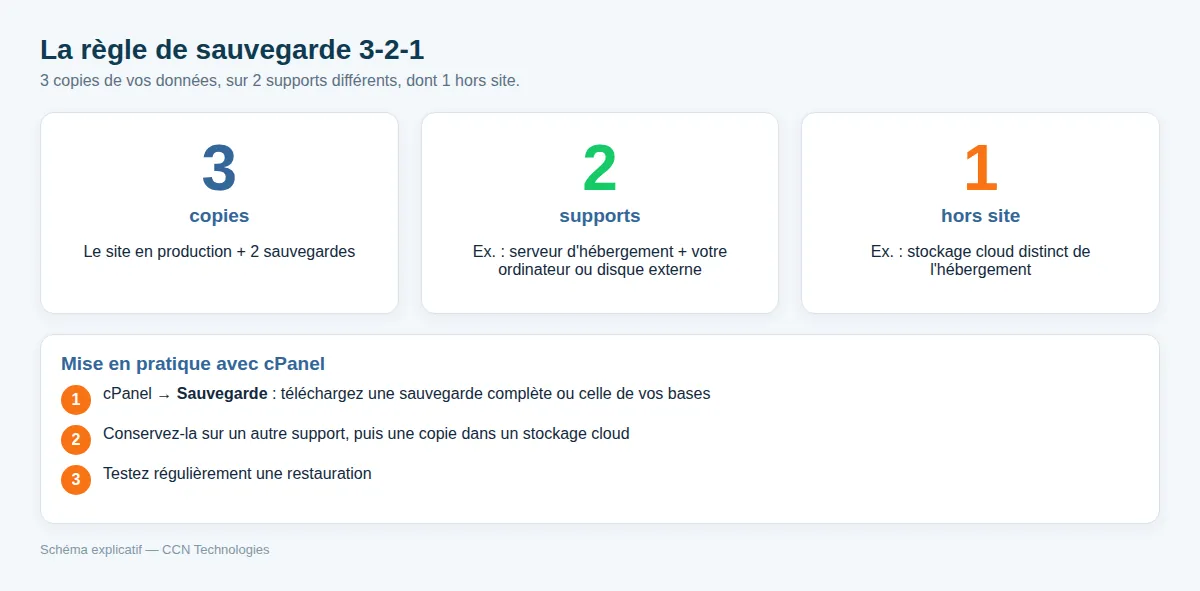 Figure 1. The 3-2-1 rule applied to your website.
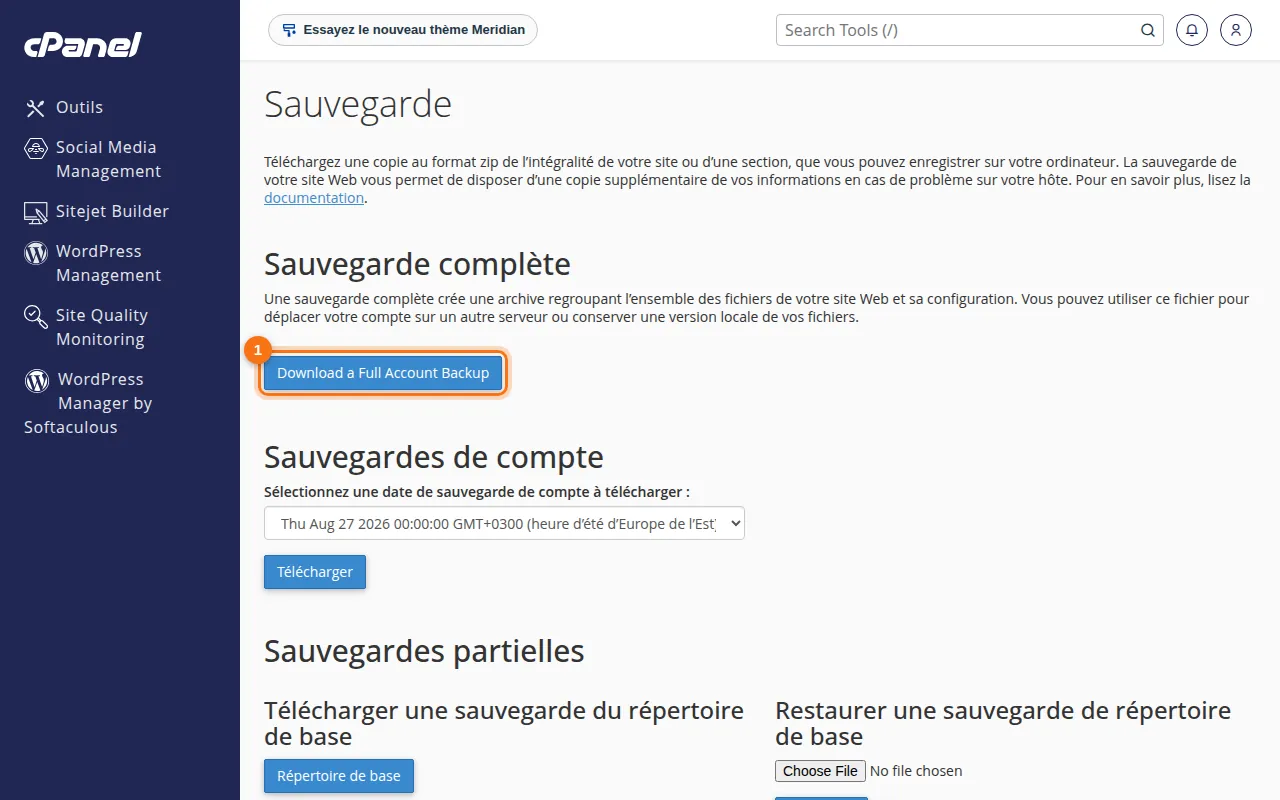 Figure 2. cPanel → Backup: download a full or partial backup.
Troubleshooting
- Backups never tested: an untested backup may be unusable; do a test restore periodically.
- Everything in one place: if all your copies are on the server, a single incident can destroy everything.
Frequently asked questions
Why an off-site copy?
To survive a major incident affecting the server itself.
How often should I back up?
Depending on how often your site changes: daily for an active site, weekly for a stable site.
See also
- Full manual backup of your hosting via cPanel
- What is Acronis Cyber Backup?
